
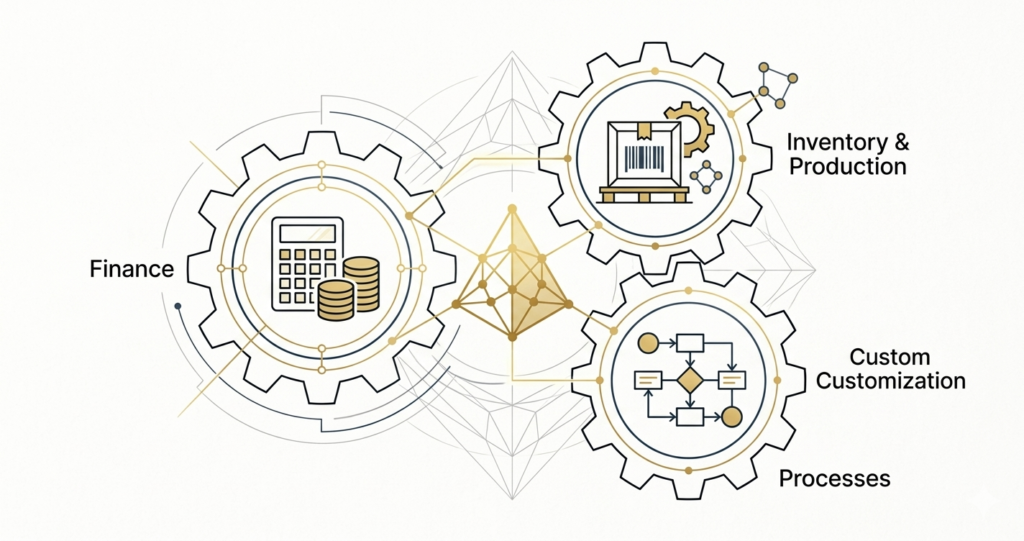
It’s Not Confusion. It’s Misalignment.
When manufacturing businesses explore Zoho, the question usually comes up:
“Should we use Zoho Books, Zoho Inventory, or Zoho Creator?”
At first glance, it looks like a product comparison.
But in reality, this is not a tool problem.
It’s a system design problem.
Most MSMEs don’t struggle because they chose the wrong tool.
They struggle because:
- Tools are used in isolation
- Processes are not clearly defined
- Data sits in multiple places (Excel, Tally, CRM, etc.)
And as a result — visibility breaks.
Where Things Start Breaking (Real Scenario)
A typical electrical manufacturing business looks like this:
- Inventory tracked in Excel or Google Sheets
- Accounting handled in Tally or Zoho Books
- Sales and dispatch managed manually or via WhatsApp
- No clear visibility of:
- What stock is available
- What is allocated
- What is in production
- What has been dispatched
So the founder ends up asking:
“What is the status of this order?”
And the answer is:
“Let me check and get back.”
That’s the real problem.
Understanding the Role of Each Tool (From a System Perspective)
Let’s simplify this without overcomplicating.
Zoho Books = Your Financial Backbone
Zoho Books is not just accounting — but it’s also not a full operations system.
It handles:
- Sales (invoices)
- Purchases
- Basic stock tracking
- Financial reporting
Works best when:
- You are buying and selling (reseller model)
- Inventory is simple and limited
- No complex production or warehouse layers
Zoho Inventory = Your Operational Inventory Layer
Zoho Inventory extends what Books already does.
It is useful when:
- You have multiple warehouses
- Inventory is managed by a separate team
- You need better control over:
- Stock movement
- Order fulfillment
- Dispatch tracking
But here’s the truth:
Zoho Inventory is still not a manufacturing system.
It improves control — but does not solve production complexity.
Zoho Creator = Your Custom System Layer
This is where most people either:
- Ignore it
OR - Overcomplicate it
Zoho Creator is a low-code platform that allows you to:
- Build custom workflows
- Create apps for:
- Production tracking
- Job work / outsourcing
- BOM handling
- Internal approvals
- Integrate everything:
- Books
- Inventory
- CRM
- External tools
This is where your actual system gets built.
What Most Businesses Get Wrong
Let’s address this directly.
❌ Mistake 1: Treating Books as a full system
Books is strong — but it is not designed for complex operations.
❌ Mistake 2: Expecting Inventory to solve manufacturing
Inventory improves tracking — not production planning.
❌ Mistake 3: Jumping into Creator without clarity
Creator is powerful — but without process clarity, it becomes messy.
❌ Mistake 4: Thinking tools = system
This is the biggest one.
Buying tools ≠ building a system.
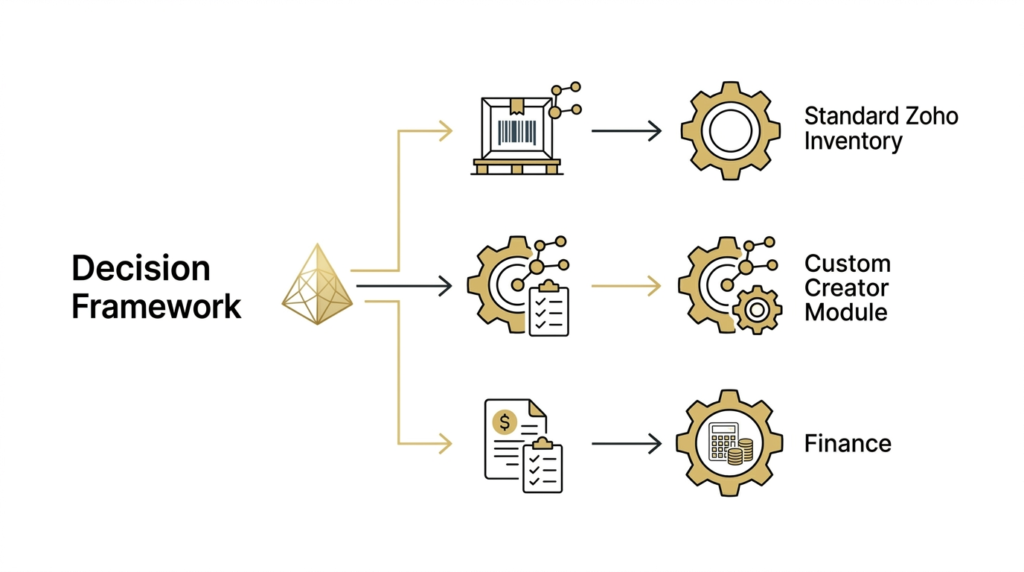
So What Should You Actually Use? (Decision Framework)
Here’s a simple way to think about it:
Use Only Zoho Books if:
- You are a trader / reseller
- Inventory is simple
- No production or BOM complexity
Use Books + Inventory if:
- You have multiple warehouses
- Inventory tracking is more structured
- You need better dispatch and stock control
Use Inventory + Creator if:
- You have manufacturing workflows
- You deal with:
- BOMs
- Job work
- Production stages
- You need process automation
Use Full System (Books + Inventory + Creator) if:
- You want end-to-end visibility
- You want:
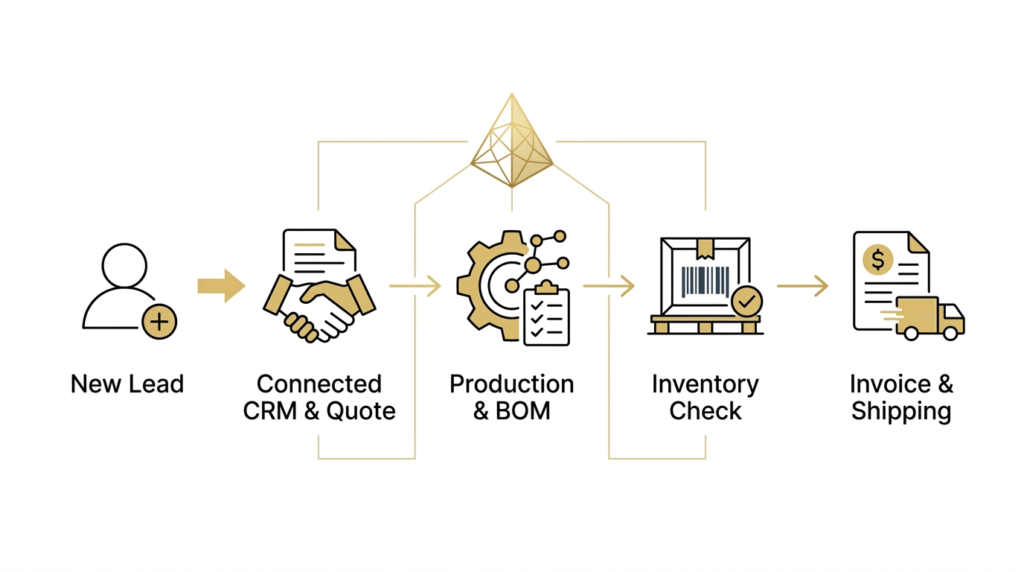
- Sales → Production → Dispatch → Accounting connected
- You are scaling operations
What Actually Improves When This Is Done Right
When the system is structured properly:
✔ You get real visibility
- Order status
- Stock availability
- Production progress
✔ Faster execution
- From sales order → delivery
- Less manual follow-ups
✔ Better planning
- Production scheduling
- Inventory forecasting
✔ Decision-making improves
- Leadership gets high-level dashboards
- Teams get execution-level clarity
Final Thought: Don’t Start with Tools
Most businesses start by asking:
“Which tool should we use?”
The better question is:
“How should our system work?”
Once that is clear —
Zoho becomes extremely powerful.
Imploris as a systems partner
If you’re currently:
- Managing inventory in Excel
- Using Books only for accounting
- Struggling with visibility across operations
You don’t need more tools.
You need a clear system design.
At Imploris, we help manufacturing MSMEs:
- Map their current workflows
- Identify gaps
- Design a Zoho-based system
- And create a practical implementation roadmap
If you’d like a quick walkthrough of your current setup, we offer a no-obligation 1-hour system discussion.