
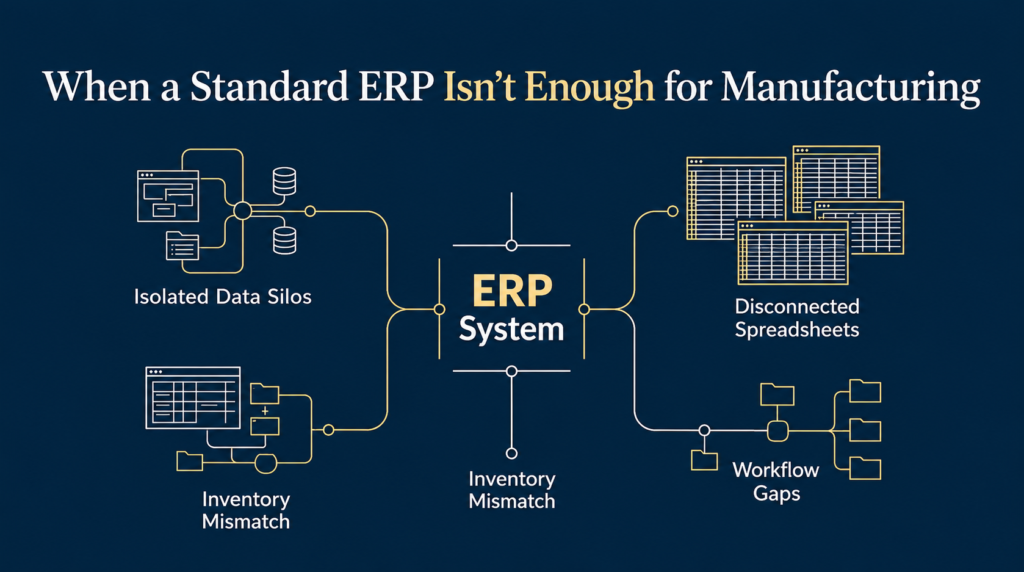
A manufacturing business may run well with a standard ERP for years. Sales orders are recorded, stock is updated, invoices are raised, and reports are available when management needs them.
Then the business grows.
A customer order needs an engineering review before production can begin. Some components are sent to outside vendors for processing. Materials move between stores, production and quality checks. A change in specifications must reach the right people before work continues.
The ERP may handle some of these activities well, but other steps still happen through spreadsheets, phone calls, WhatsApp messages or paper records.
People start maintaining separate files because the system does not capture everything they need. Managers spend more time checking information across departments. Production teams follow workarounds that are understood by experienced employees but are not clearly recorded anywhere.
At this stage, the question is no longer simply whether the ERP has enough features.
The real question is whether the system supports the way the business needs to operate.
What does it mean when a standard ERP is no longer enough?
A standard ERP is designed to support common business activities such as accounting, purchasing, sales, inventory and production. Many systems also offer features for quality checks, planning, maintenance and reporting.
These features can cover a large part of a manufacturer’s needs. The challenge begins when the actual process differs from the way the software expects work to happen.
Consider a manufacturer that receives an order for a product requiring a few engineering changes. The sales team records the order, but production cannot start until engineering confirms the design, purchasing checks material availability, and the customer approves the final specifications.
If the ERP records only the sales order and production order, employees may still need to coordinate the remaining steps manually.
The problem is not necessarily that the ERP is poor. It may be that the required workflow has not been configured, the relevant information is missing, or the system was never designed to manage that particular process.
These are different problems, and they need different solutions.
Before deciding that a standard ERP is no longer enough, a manufacturer should understand which of these situations applies.
Five signs that your ERP may no longer fit your operations
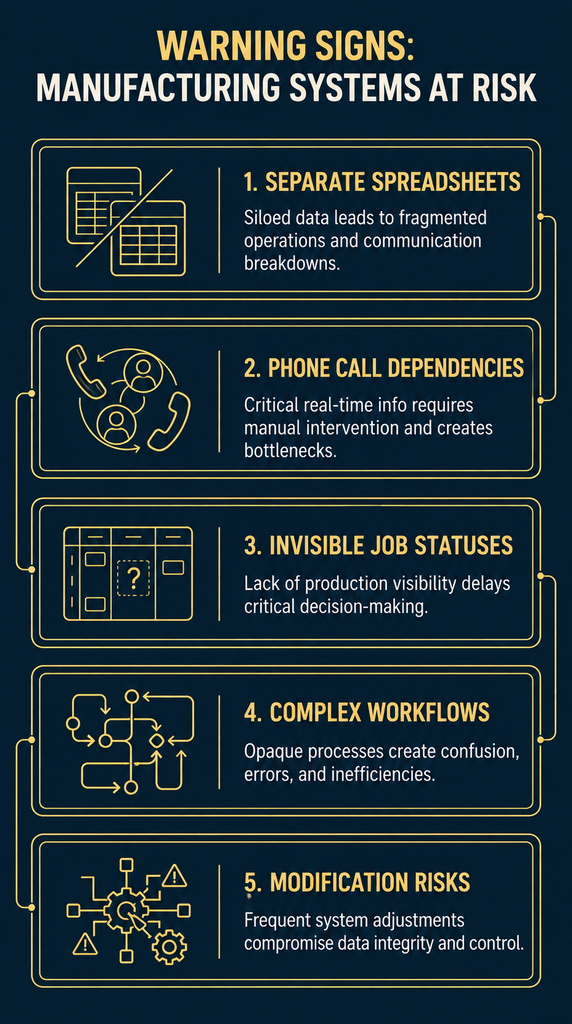
1. Employees maintain separate spreadsheets to complete their work
A spreadsheet is not automatically a problem. Many businesses use spreadsheets for planning, analysis and short-term tracking.
The concern arises when a spreadsheet becomes essential to running a core process because the ERP does not provide the required information or workflow.
For example, the ERP may show available stock, while a separate spreadsheet tracks material reserved for specific production orders. The inventory figure may be correct, but it does not tell the planning team how much material is actually available for the next job.
The same problem can occur with production schedules, pending approvals, quality issues and delivery commitments.
Over time, different departments may maintain different versions of the same information. Employees must compare files and ask colleagues which version is correct.
What to check: Identify the spreadsheets your team must update every day to keep production, purchasing or dispatch moving. Find out why the ERP cannot replace that manual step.
2. Important work depends on phone calls and personal follow-ups
Some manufacturing processes require coordination between sales, engineering, purchasing, production, quality and dispatch.
A customer may request a design change after an order has been confirmed. Someone must check the effect on materials, production time and delivery dates. The revised information must then reach everyone affected.
If this depends on an employee making calls and sending messages, the process may work when the right people are available. It becomes less reliable when someone is absent, a team is busy or several changes happen at once.
A standard ERP may already support approval workflows or notifications. If those features are available and suitable, configuring them could solve the problem.
But if the process involves several linked steps that the ERP cannot manage, the business may need an additional workflow or a connected system.
What to check: When an order changes, can you see who must act, what is waiting for approval and whether the change has reached production? Or does someone have to chase every department?
3. The system records transactions but cannot show the full status of a job
Recording transactions is essential. Management also needs to understand what those transactions mean for current operations.
Suppose a customer asks when an order will be ready. The sales team can see the order in the ERP, but the answer depends on several other questions:
- Has engineering approved the specifications?
- Are all required materials available?
- Has production started?
- Is some work still with an outside vendor?
- Has quality inspection been completed?
- Is the order ready for dispatch?
If the answers are spread across different screens, spreadsheets and conversations, employees must assemble the picture manually.
The business has information, but it does not have a clear view of progress.
A better system should connect the key stages of the order and make delays visible before they become delivery problems.
What to check: Can a manager follow an order from confirmation to dispatch without contacting several people or opening multiple files?
4. Your production process does not follow a simple, standard route
Not every manufacturer makes products in the same way.
Some businesses produce standard items in repeated batches. Others manufacture to customer specifications, handle engineering changes, send materials for outside processing or combine in-house production with subcontracted work.
These differences matter.
A standard production workflow may work well for a business that follows a fixed sequence. It may be less suitable when different products require different approval steps, operations or quality checks.
For instance, a component may need machining at an outside vendor before it can return for assembly. The business must track the quantity sent out, the quantity received, material loss, processing charges and the next production step.
If the ERP supports this process, the configuration may simply need improvement. If it does not, employees may maintain separate records to bridge the gap.
The important point is not that every unusual process needs custom software. It is that the business must understand which differences are essential and which can be standardised.
What to check: Are employees following the intended workflow, or have they created unofficial steps because the system cannot support the actual process?
5. Changes to the system create more problems than they solve
As a business grows, it may add new products, customers, production stages or reporting needs.
Sometimes the existing ERP can handle these changes through settings, additional modules or approved extensions. In other cases, each change creates new complications.
A modification may affect another workflow. A report may need data from a separate application. An integration may stop working when one system is updated.
This does not automatically mean the ERP should be replaced. It means the business needs to understand the cost and risk of continuing with its current setup.
The issue becomes more serious when nobody has a clear picture of how the applications, integrations and manual processes depend on one another.
What to check: Before approving the next modification, can your team explain what it will affect, how it will be tested and who will maintain it?
Why these problems develop
When an ERP starts falling short, it is tempting to blame the software. Sometimes the software really does have a limitation. But there are other possible causes.
The business has changed, but its processes have not been redesigned
A company may have started with a simple sales and inventory process. As order volumes increase, it adds engineering approvals, subcontracting, more detailed quality checks and new reporting needs.
The original setup may no longer reflect how the company operates.
Adding more features without reviewing the workflow can make the system harder to manage.
The ERP was never fully configured for the business
Some requirements may already be supported by the existing software but were not included in the original implementation.
This can happen when the initial project focuses on accounting, invoicing and stock records while leaving operational workflows for a later stage.
Before investing in another application, the business should check whether its current ERP has suitable features that are not being used.
Different departments have developed their own ways of working
Sales, production, purchasing and finance may each have a system that works for their immediate needs. The difficulty is that these systems may not share information properly.
A spreadsheet maintained by purchasing might show a different delivery date from the one used by production. Finance may have recorded a vendor invoice without a clear link to the job that created the cost.
These gaps are not always solved by adding another software module. Sometimes the business first needs clear rules about where information is recorded, who updates it and how it moves between departments.
The business has outgrown the original system design
A system that works for a small team may become difficult to manage when order volumes rise and more people need access to the same information.
What was once handled through informal communication now needs clear ownership, recorded approvals and reliable status updates.
At that point, the business may need to change how its systems are connected, not just add more features.
What should you do before replacing your ERP?
A replacement project can be expensive and disruptive. It can also introduce new problems if the underlying processes remain unclear.
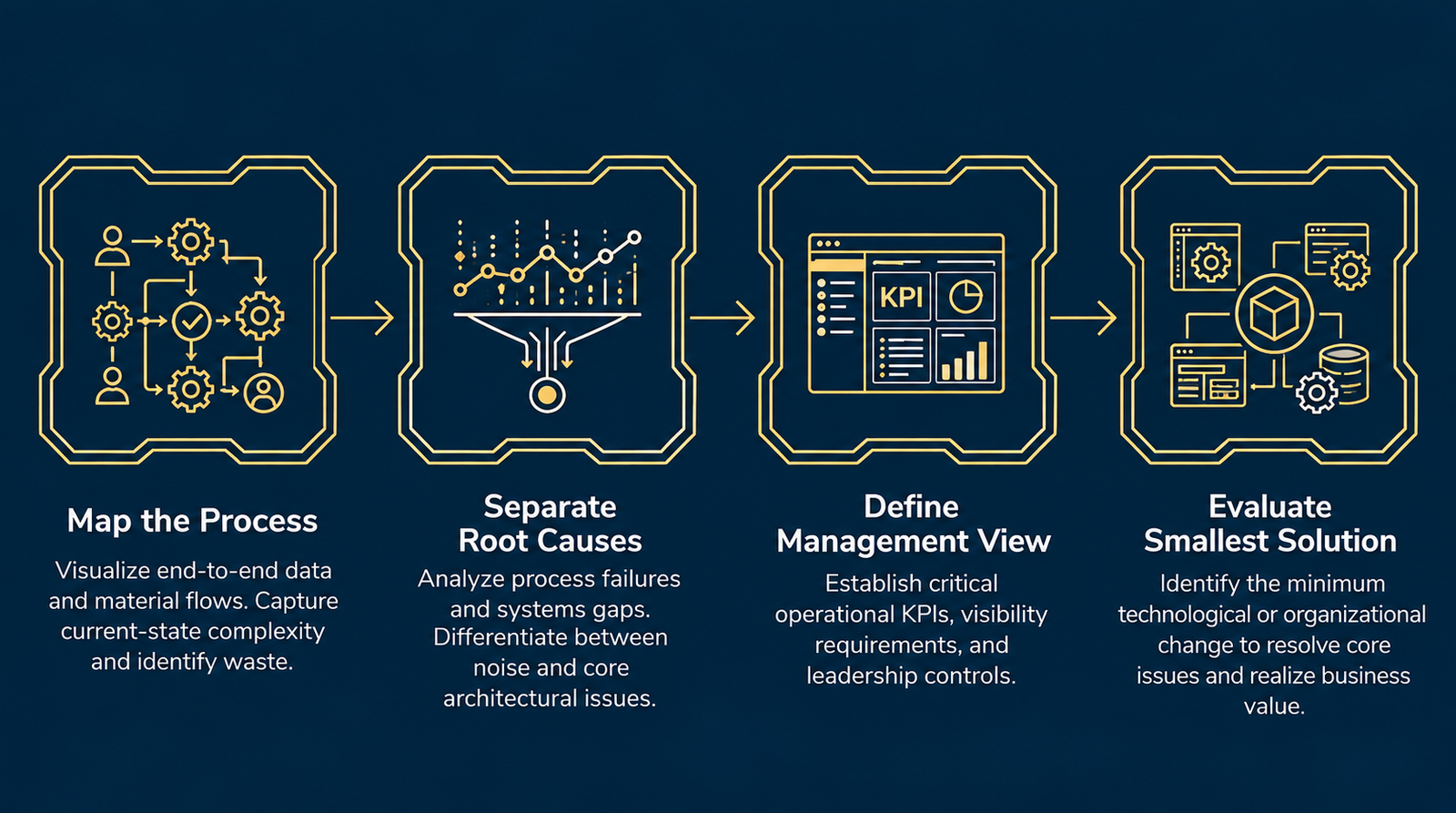
Before making that decision, work through these four steps.
Step 1: Map the process that is breaking down
Choose one important workflow, such as order-to-dispatch, material procurement or subcontracted processing.
Document what happens from the beginning to the end. Identify who performs each step, what information they need, what they record and where they pass the work to someone else.
Include the spreadsheets, messages and paper records that employees actually use. These often reveal gaps that are not visible in the official process document.
Step 2: Separate process problems from software limitations
For every gap, ask three questions:
- Is the process itself unclear or unnecessarily complicated?
- Can the existing ERP support the process with better configuration or more consistent use?
- Does the business need a capability that the current system genuinely cannot provide?
This distinction matters. Building software around an unclear process can make that process more expensive to maintain without making it more effective.
Step 3: Define the information management needs
Decide what the owner or operations manager should be able to see without chasing employees for updates.
For a manufacturing business, this might include:
- Orders waiting for engineering approval.
- Jobs delayed because materials are unavailable.
- Work in progress at each production stage.
- Materials held by outside vendors.
- Quality issues awaiting resolution.
- Orders at risk of missing their delivery dates.
The exact list depends on the business. The goal is to connect operational activity with the information needed to make decisions.
Step 4: Evaluate the smallest solution that closes the gap
Once the problem is clear, consider the options in order.
- Improve the existing setup: Suitable when the required capabilities already exist but are not being used effectively.
- Configure or extend the ERP: Suitable when the core system fits but needs additional workflows, fields, reports or supported integrations.
- Connect a separate application: Useful when another system can handle a specific need while exchanging the right information with the ERP.
- Build a custom or modular component: Worth considering when a critical business process cannot be supported well by standard tools and the benefit justifies the additional responsibility.
The aim is not to choose the most advanced option. It is to choose an approach that supports the business without adding unnecessary cost or complexity.
When is a custom or modular system worth considering?
A custom system becomes worth exploring when the process that makes your business different is also a process your current software cannot manage adequately.
For example, a manufacturer may need to coordinate customer-specific engineering, material availability, outside processing, production progress and quality approvals through one connected workflow.
If the ERP handles accounting and inventory well but cannot support this operational sequence, a separate application may be able to manage the missing steps and exchange relevant data with the ERP.
This is one reason some manufacturers consider a modular or semi-ERP approach. Rather than replacing every existing application, they build or configure the missing operational layer around the systems that already work.
However, custom development has responsibilities of its own. Someone must maintain the application, manage access, test changes, monitor integrations and ensure that the system remains reliable as the business evolves.
A custom solution is not automatically cheaper, more flexible in practice or easier to maintain. Its value depends on the importance of the business problem, the quality of the design and the team’s ability to support it over time.
For a broader comparison, see our guide to Manufacturing Systems Architecture: Designing the Right Business System and our upcoming article on ERP versus custom systems for manufacturing businesses.
Operational Checkpoint: Have you outgrown your ERP?
Before starting a replacement project, discuss these questions with your operations team.
- Can we track a customer order through all important stages without manually combining information from several sources?
- Do employees maintain separate records because the ERP lacks a required feature or workflow?
- Can we identify material shortages, production delays and pending approvals before they affect delivery?
- Do changes to an order reach every department that needs to act on them?
- Do we understand which system holds the correct information for each important business activity?
- Can our current setup support the next stage of growth without making routine work harder?
If several answers reveal recurring gaps, investigate them before committing to a major software change.
The next step is not necessarily to replace the ERP. It is to identify which gaps matter most, understand why they exist and determine whether they can be fixed within the current system or require a different design.
The real decision is about fit, not features
A standard ERP can support a great deal of manufacturing activity. Many businesses can go further with their existing system than they realise.
Others reach a point where their operating model requires workflows, connections or visibility that the current setup cannot provide well.
The mistake is to treat every gap as a reason to buy more software—or to assume that custom development will solve it.
Start with the work itself. Understand how orders move, how materials are tracked, where approvals happen and what managers need to know. Then decide which parts of the system need to change.
The right business system is not the one with the longest feature list. It is the one that supports the way your business needs to operate.
Want to understand where your current system is falling short?
Imploris helps growing manufacturers review their processes, identify gaps in operational visibility and design practical business systems around the way their operations work.
Explore the Manufacturing Operations Review to identify where workflows break down, where information gets lost and what should improve before you invest in more software.